
Calling cues
The stage manager reads the next lighting and sound cue right off the screen, in order.
Every routine's dancers, positions, cues and staging in a digital call script that follows your lineup. Your stage manager runs the show with confidence, and everyone backstage sees where it stands.
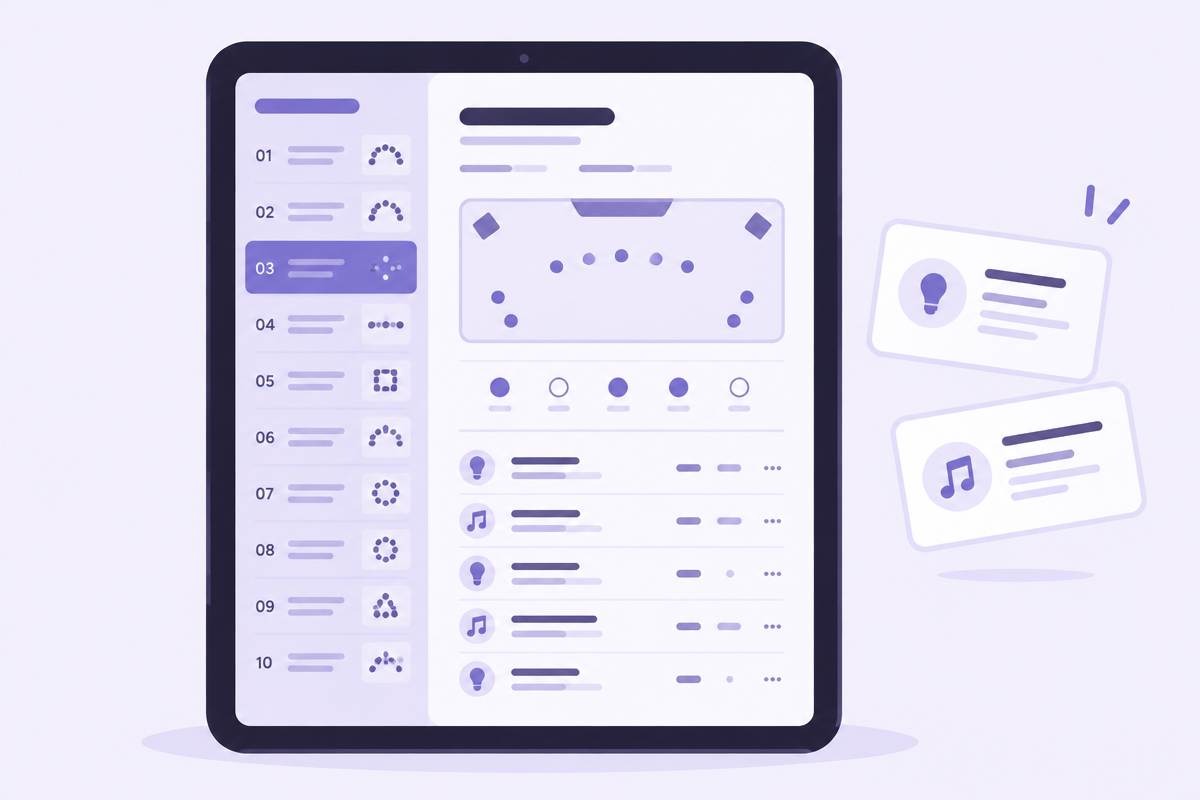
Most recital stage managers work from a binder, a printed lineup, a lighting cue sheet and a stack of teacher notes. Stage Manager puts all of it on one tablet, in show order. Tap to the next routine and everything about it is right there — who's in it, where they start, what the lights and sound do, and where the props go.
The lineup runs down the side of the screen. Tap a routine and its full page opens — built from the notes your teachers already entered while planning the show.
Dancers, teachers, assistants and volunteers in the number
Start and end positions — behind the main curtain, on stage in a pose, entering from stage left
Cue table with every lighting, sound and video cue in order
Lighting looks saved from Light Lab
Set and prop notes, sound notes and video notes
Staging diagram showing where dancers and props start
Costume color, routine photo and documents
The stage manager reads the next lighting and sound cue right off the screen, in order.
A quick glance at start and end positions tells the crew whether to close the main before the next number.
Crew sees which props come on and off for each number, without a separate cue sheet.
A new stage manager or a theater's house crew can run your show from the same script your teachers wrote.
A teacher updates a note the morning of the show, and the stage manager already has it.
Press Start Show and the show timer begins. As each routine takes the stage, the stage manager marks it On Stage — and every backstage monitor running Show Status Display updates at the same moment.
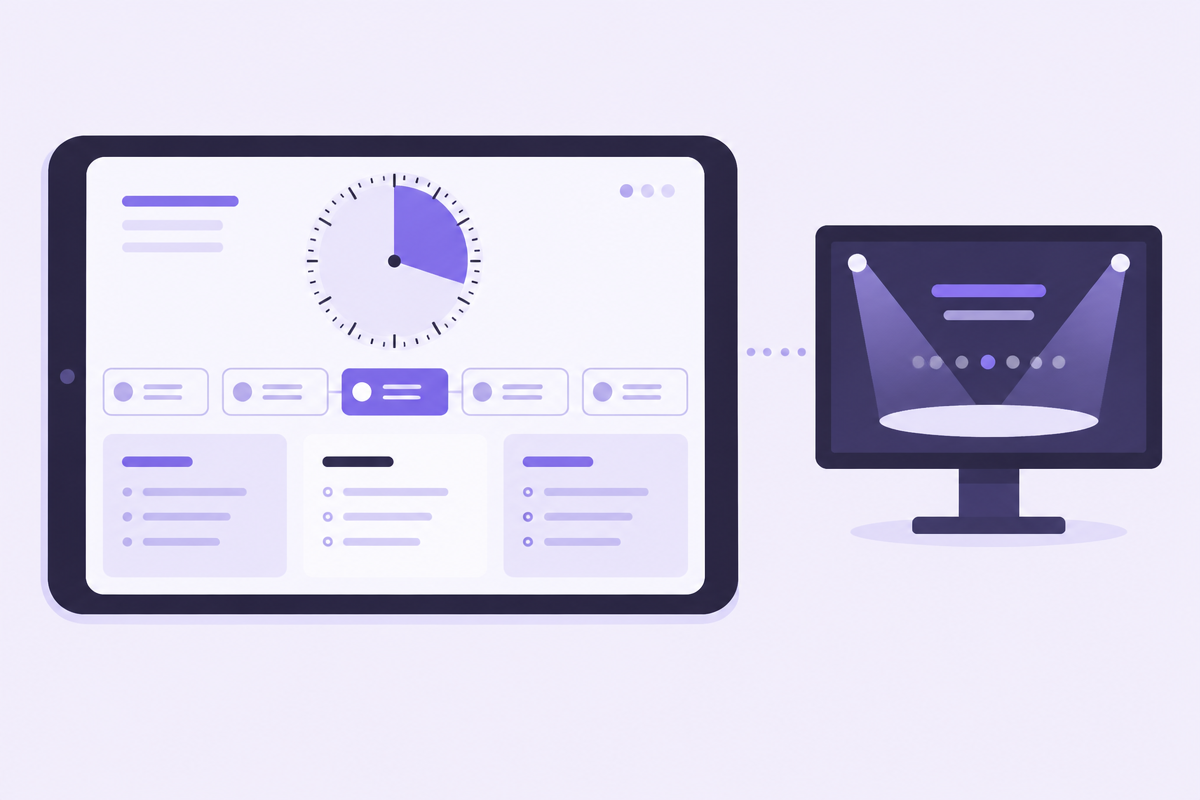
Show timer tracks how long the show has been running
Mark On Stage to move the show to the next routine
Quick notes to jot down what happened during a number
Live updates to Show Status Display screens backstage
Dancers watching a backstage monitor see their number is up next and line up on time.
Watch the timer and know whether you need to tighten intermission.
Note a missed light cue or a late entrance in the moment, then review it after the show.
Use Saturday's notes to fix things before Sunday's show.
Every stage manager works differently. Turn modules on or off and save your setup as a layout, so the screen shows exactly what matters for your show.
Show only the cue table, lighting looks and start positions.
A studio owner calling their own show keeps dancers, costumes and notes front and center.
The sound operator and the stage manager each use a layout built for their job.
Hide modules you don't use, like video notes, so the screen stays clean.
A tablet or laptop works best, but Stage Manager runs in any web browser.
From the routine pages your teachers and staff fill in while planning the show. Nothing to retype.
Yes. Lighting looks saved in Light Lab show up in the stage manager's view of each routine.
Build your call script from the notes your teachers already wrote.